Footwear brands photograph each silhouette once in a controlled studio. When the same shoe launches in six colorways, the standard answer is six more studio sessions: book a model, rent a space, pay a photographer, wait two weeks. An on-foot variant API collapses that to a single API call per colorway.
What an on-foot variant API does
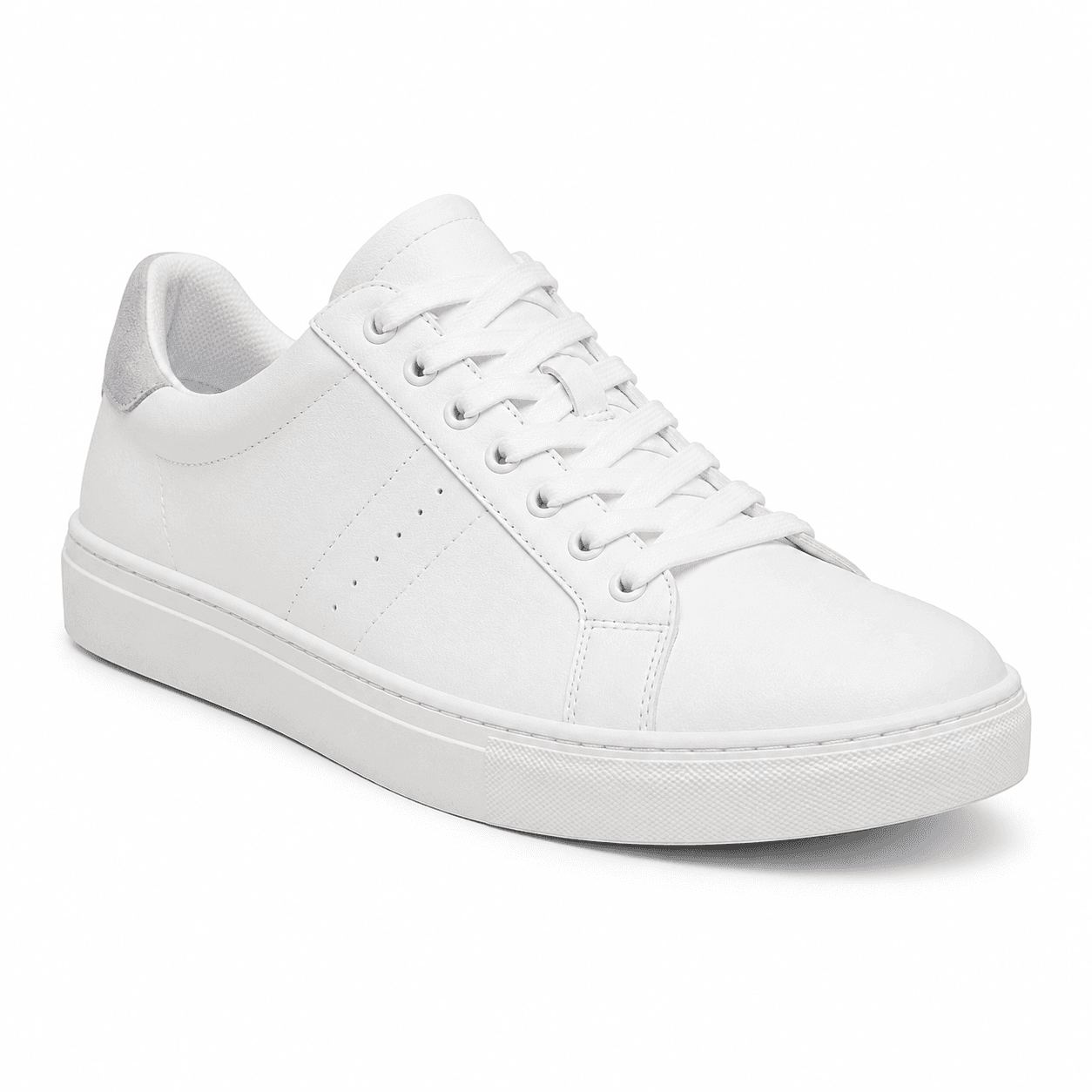
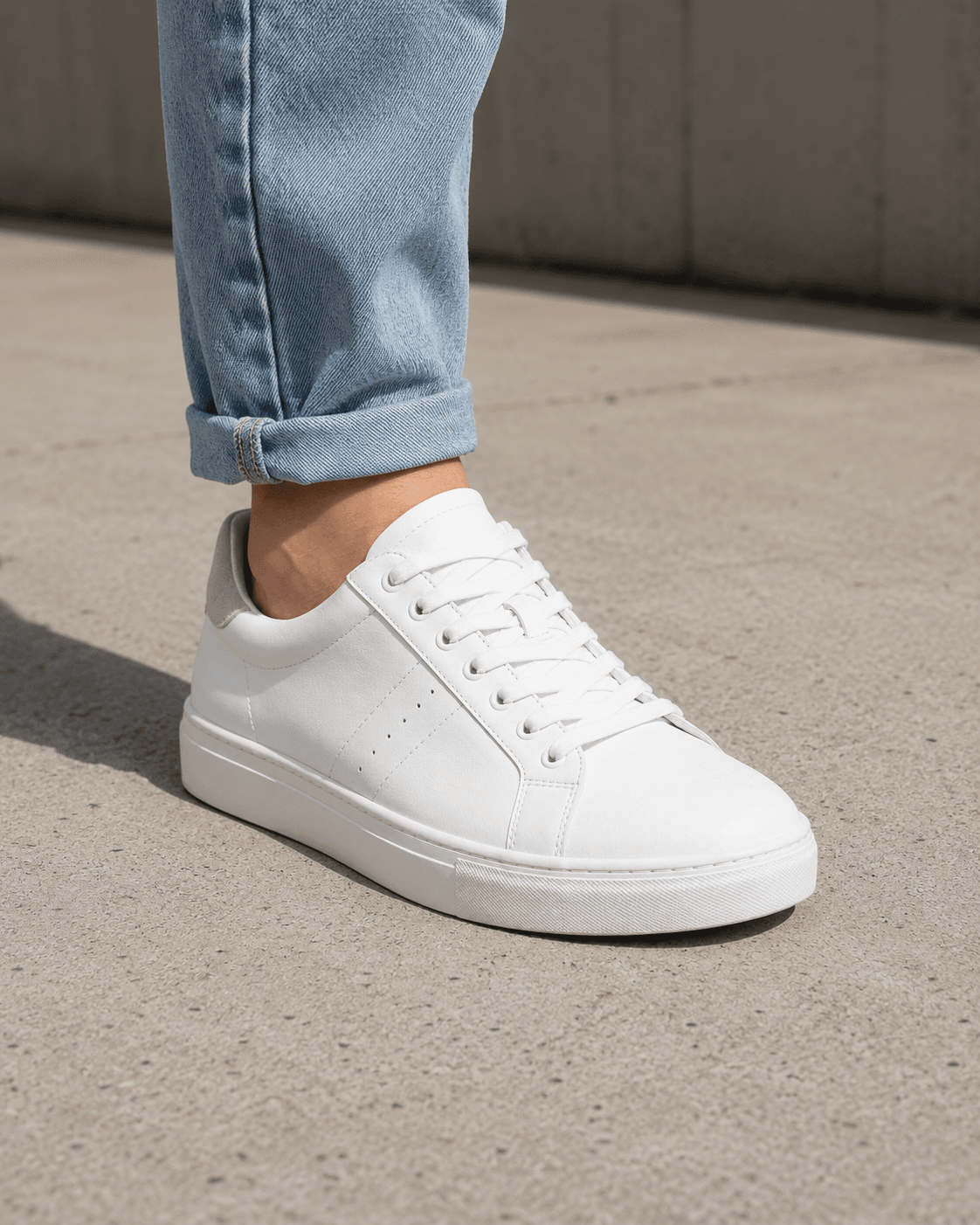
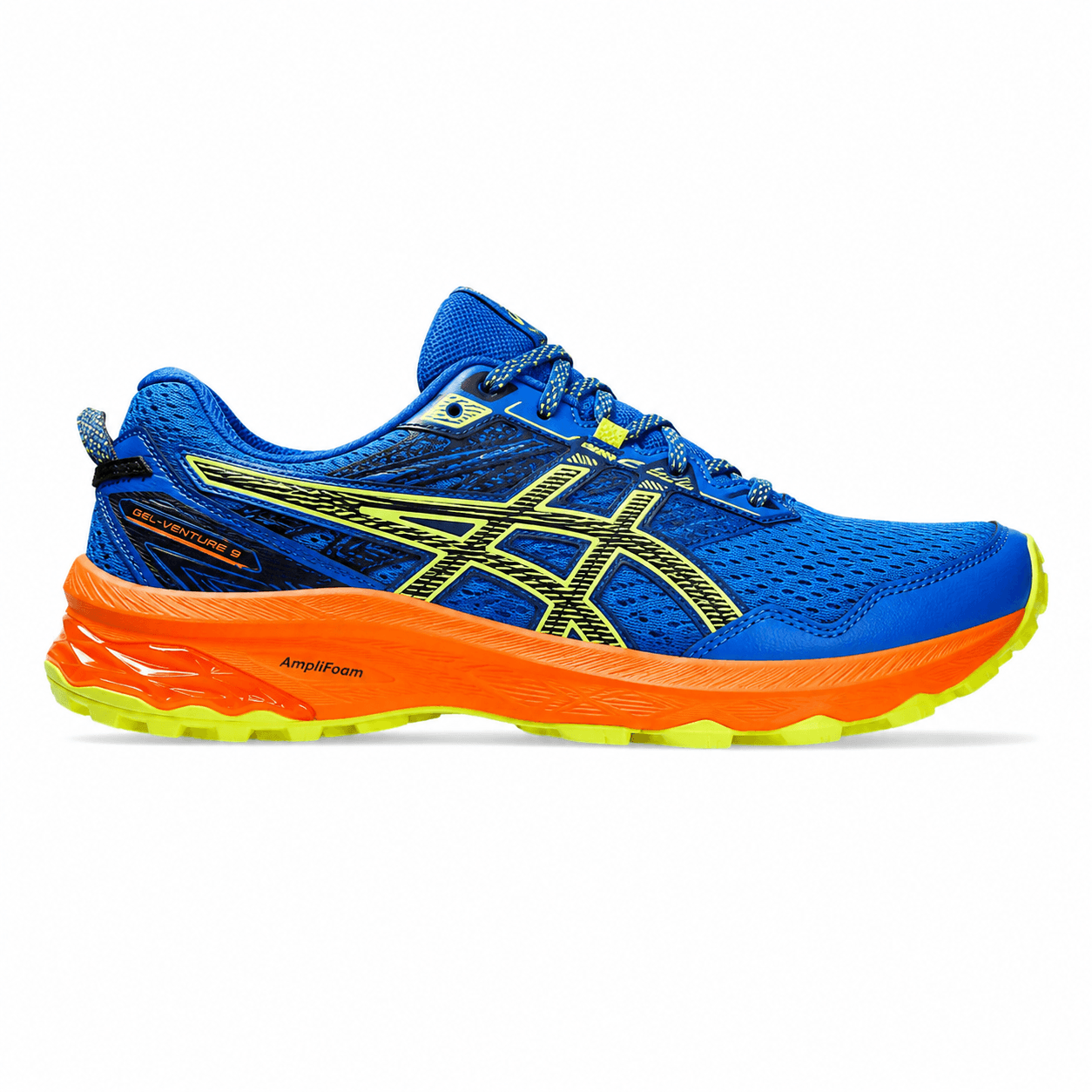
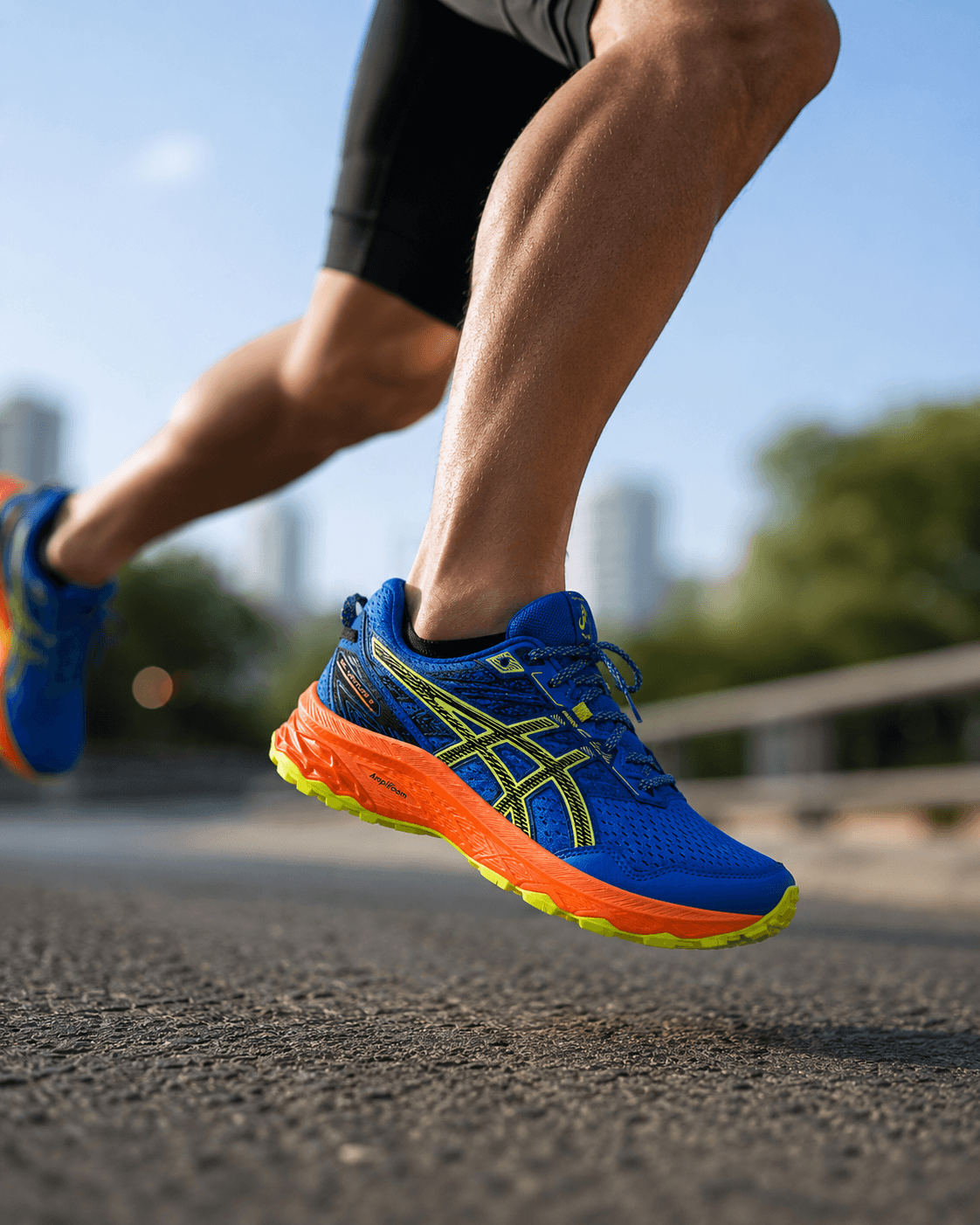
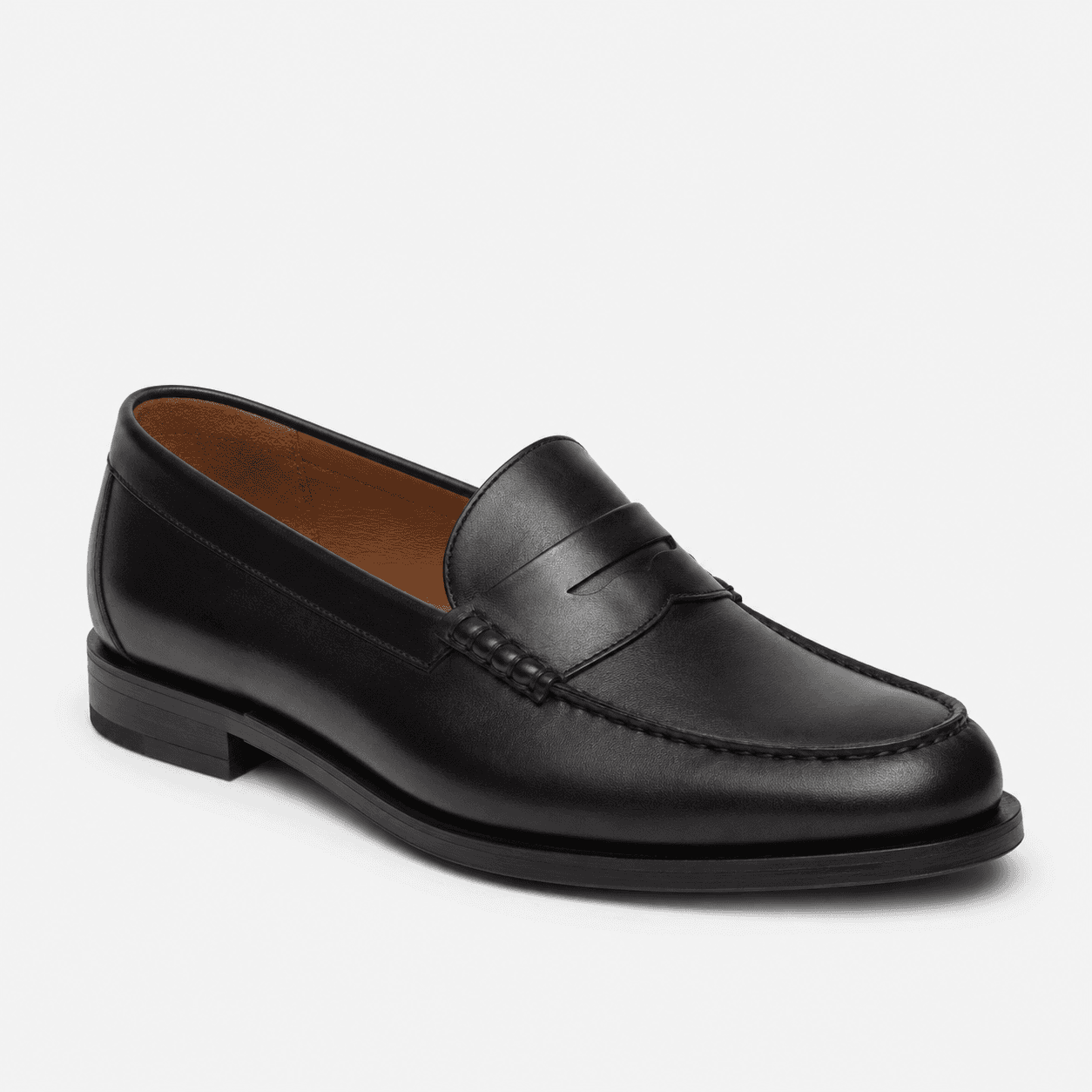
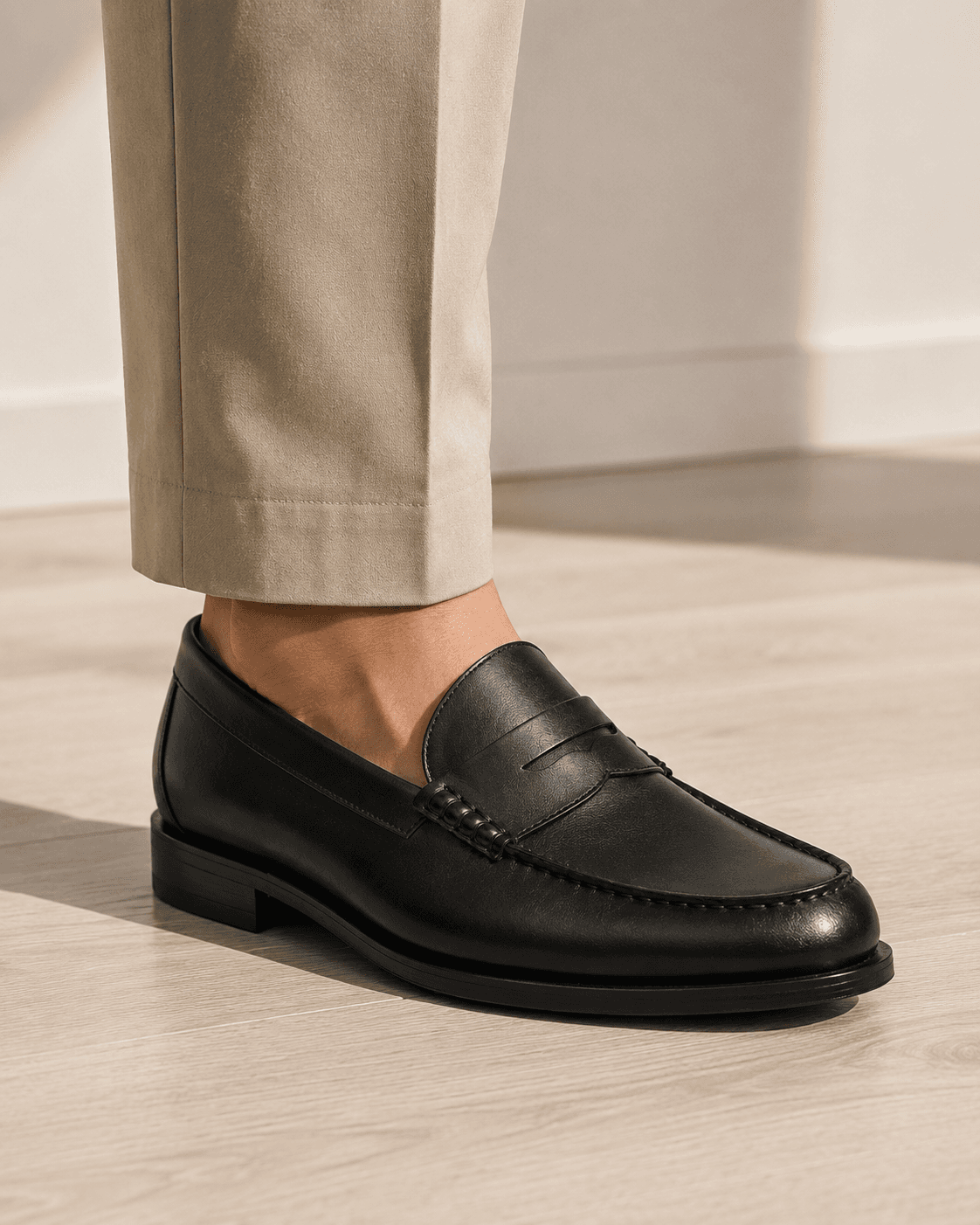
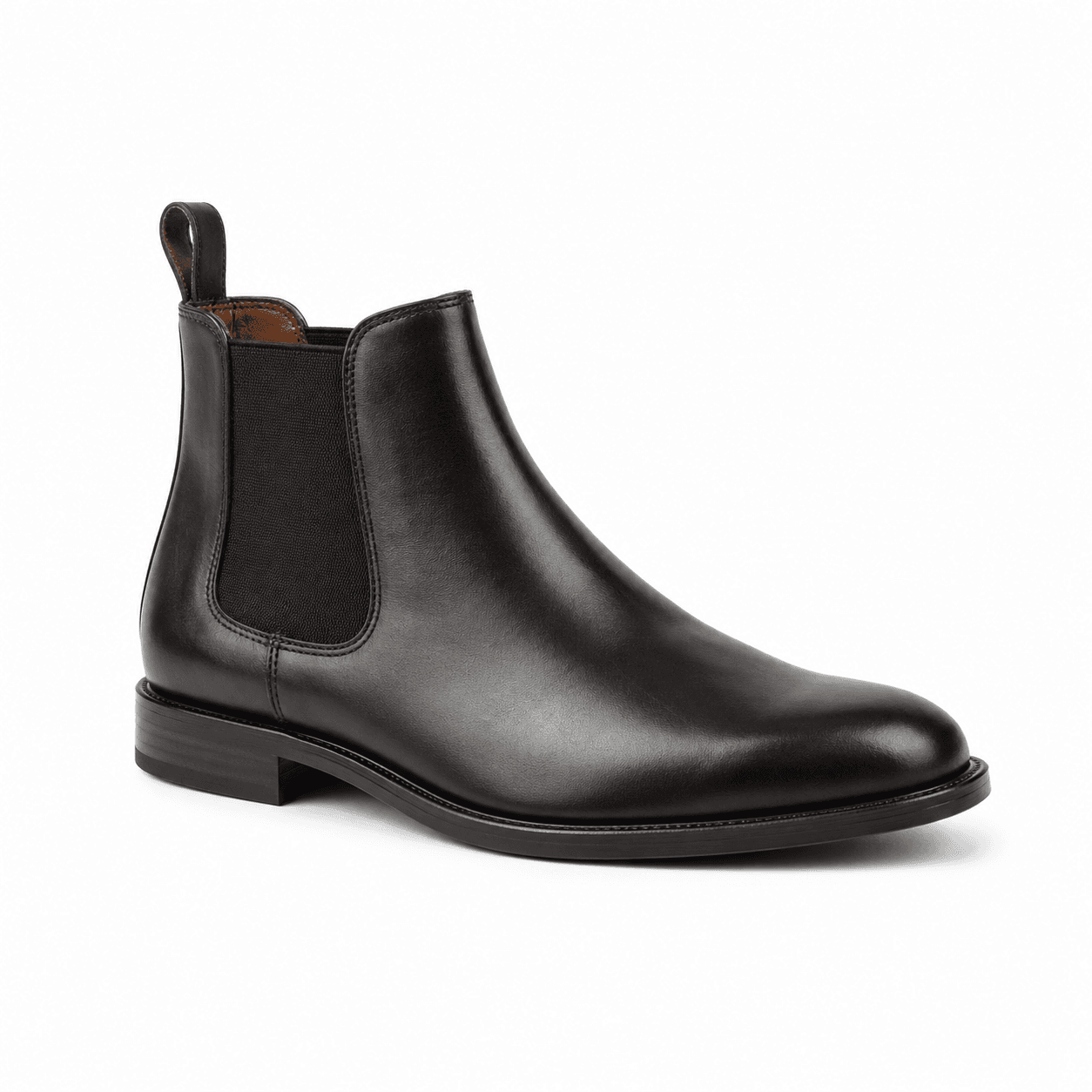
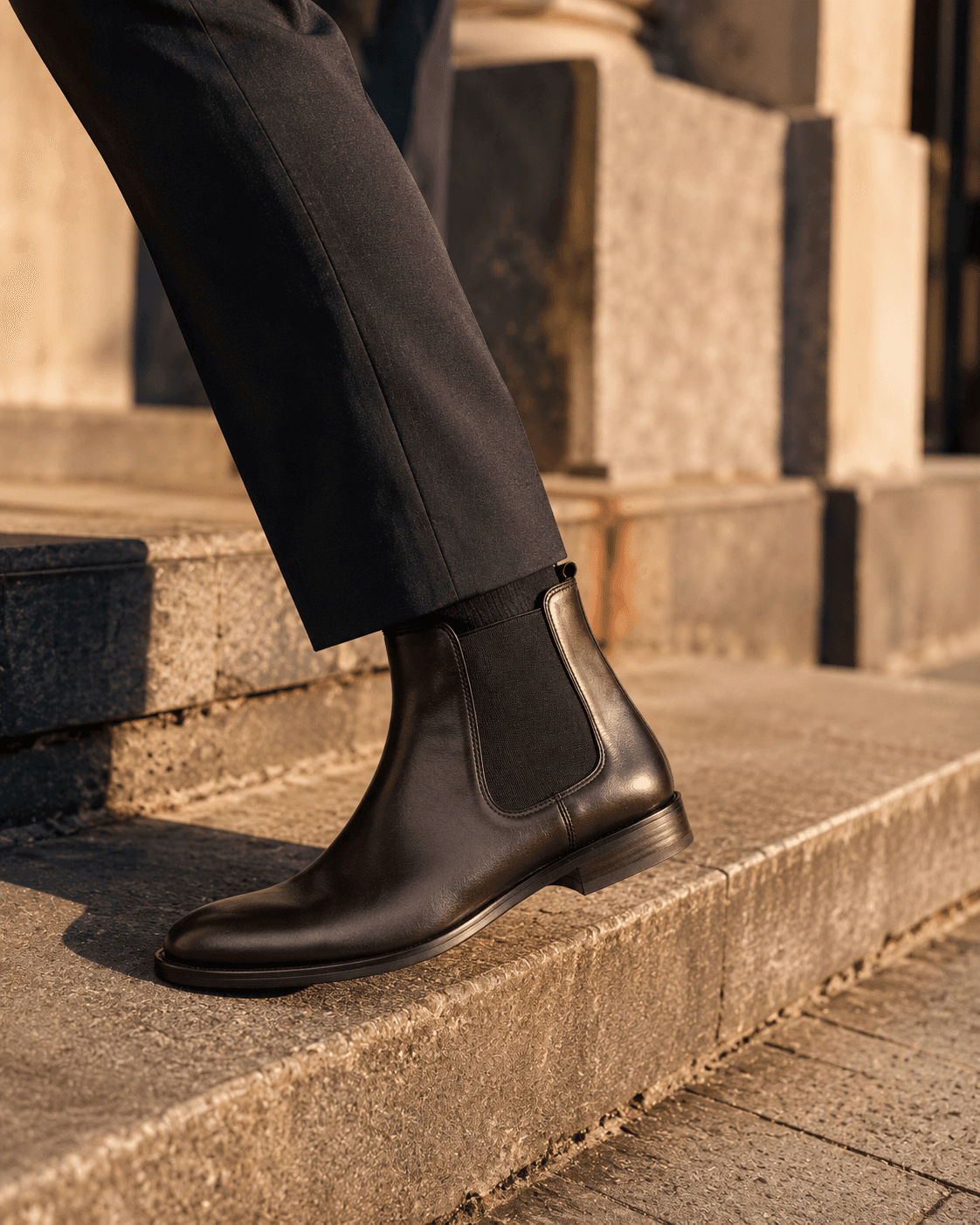
The pipeline takes a catalog image (white background, side or 3/4 view) and outputs a lifestyle shot of the same shoe worn by a model in a contextually appropriate environment. It does not require a model, studio, or photographer. The shoe geometry, colorway, and details are preserved exactly. Only the background and foot/leg context are generated.
This is different from virtual try-on, which places a specific customer's foot into a shoe. On-foot variant generation creates generic but realistic lifestyle imagery for product pages, social ads, and editorial use - output that would otherwise require a physical shoot.
| Stack | Infra /mo | AI team | Total cost | Revenue | Margin |
|---|---|---|---|---|---|
Runflow 10% volume discount applied | $900 | $0 | $900 | $6.0K | 85% |
Cloud API + manual QA similar pricing · no auto-QA · part-time engineer needed | $1.0K | ~$5K | $6.0K | $6.0K | 0% |
Self-hosted GPU raw compute · full-time AI engineer required | $400 | $12K | $12K | $6.0K | loss |
Runflow Sentinel — built-in quality control layer that automatically detects and discards failed or low-quality outputs before delivery. You only pay for images that pass QA. No engineer needed to babysit the pipeline.
Pricing based on Runflow published rates (June 2026) with automatic volume discounts. Revenue column is illustrative — actual client pricing varies by vertical and contract size. GPU self-hosted estimate uses $0.04/img raw compute cost.
The pipeline architecture
A production-grade footwear on-foot pipeline runs four steps: shoe segmentation, foot and leg synthesis, compositing, and post-processing.
Step 1: Shoe segmentation
A segmentation model isolates the shoe from the catalog background and extracts its silhouette, sole angle, and toe-box orientation. This determines how the foot geometry will be synthesized - a running shoe at a forward angle needs different foot positioning than a loafer in a 3/4 view.
Step 2: Foot and scene synthesis
A diffusion model generates the foot, leg, and background conditioned on the shoe geometry and a scene prompt. The prompt can specify context: concrete sidewalk, gym floor, outdoor trail, wood interior. Style parameters control whether the output targets athletic, lifestyle, or editorial aesthetics.
Step 3: Compositing
The segmented shoe is composited onto the generated foot at the correct perspective and scale. Shadow generation and edge blending are applied to make the result photorealistic. Sole contact with the surface is critical - misaligned shadows are the most common failure mode in naive implementations.
Step 4: Post-processing
Color grading matches the shoe's lighting to the generated background. Specular highlights on leather, mesh, and rubber soles require different treatment. A final quality classifier rejects outputs where shoe geometry is distorted or the sole-ground contact looks physically implausible.
Who builds this
The primary buyers of footwear on-foot variant APIs are footwear brands launching multi-colorway product lines, marketplaces aggregating footwear inventory from multiple brands, and e-commerce agencies managing seasonal catalog production at volume.
| Approach | Cost per image | Time to first output | Control |
|---|---|---|---|
| Managed API (Runflow or similar) | $0.12-0.35 | < 1 day integration | Scene prompt, style, model type |
| Self-hosted ComfyUI pipeline | $0.02-0.06 (GPU cost) | 2-4 weeks to production | Full - any model or LoRA |
| Traditional studio shoot | $200-580 per image* | 6-8 weeks | Full creative control |
| Stock photography licensing | $15-80 per image | Immediate, limited selection | None - pre-shot images only |
*Per-image studio cost calculated from half-day session rate divided by typical deliverable count (6-12 images per half day).
TCO: managed API vs self-hosted
At low volume (under 500 images per month), a managed API is almost always cheaper than self-hosted once engineering time is factored in. The break-even point for investing in a self-hosted pipeline is typically 2,000-5,000 images per month, depending on GPU costs and team size.
| Cost category | Managed API | Self-hosted ComfyUI |
|---|---|---|
| Inference cost | $120-350 | $20-60 |
| Engineering setup | $0 | $8,000-12,000/mo (1 FTE) |
| Infra / GPU servers | $0 | $400-800/mo |
| Maintenance | $0 | $2,000-4,000/mo (part-time) |
| Total monthly cost | $120-350 | $10,400-16,800 |
Self-hosted becomes cost-effective above roughly 30,000-50,000 images per month, where inference savings outweigh the fixed engineering cost. Below that threshold, a managed API is the correct default.
Quality benchmarks
On-foot variant generation is harder than background removal or virtual staging because it requires synthesizing new geometry (feet, legs) that must be geometrically consistent with the shoe. Quality varies significantly across pipeline configurations.
The most reliable quality signal is sole-ground contact accuracy: does the shoe's sole sit flush with the surface, with correct shadow direction and softness? Secondary signals are shoe geometry preservation (no distortion of sole shape or toe box) and colorway fidelity (the generated image matches the original colorway without color shift).
What to look for in an API
When evaluating a footwear on-foot API, request test outputs for at least four shoe categories: running shoes (mesh, complex sole), leather dress shoes (smooth surfaces, stitching), canvas sneakers (flat sole, minimal detail), and boots (height, shaft geometry). Each category tests different aspects of the pipeline.
Reject any API that cannot demonstrate colorway fidelity. If the generated shoe shifts from navy to black, the output is unusable for catalog purposes. This is the most common failure mode in generic image generation APIs that are not specifically tuned for footwear.
Integration pattern
The standard integration pattern for a footwear brand's existing catalog pipeline adds the on-foot generation step after the background removal step. The catalog image is already clean (white background, shoe isolated). The API call adds a scene parameter and returns a lifestyle variant. No changes to the upstream catalog production workflow are required.
For marketplaces aggregating inventory from multiple brands, the integration point is the product ingestion pipeline. When a new SKU is ingested, the on-foot variant is generated and stored alongside the original catalog image. The API call can be triggered asynchronously with a webhook callback.
Both patterns share the same requirement: the API must accept a webhook URL for asynchronous delivery. On-foot generation takes 8-45 seconds per image. Calling it synchronously inside a product ingestion flow will cause timeouts. Design the integration as a background job with a status check endpoint, and only surface the lifestyle variant to the product page once the webhook confirms delivery. This is standard practice in production image generation pipelines and avoids the temptation to block product listings on image generation completion.
Failure modes to plan for
On-foot variant generation has predictable failure modes that any production deployment needs to handle. Building a quality gate that rejects bad outputs before they reach your product page is as important as building the generation pipeline itself.
Sole-ground contact failure is the most visually obvious problem. The shoe appears to float above the surface, or the shadow is cast in the wrong direction relative to the background lighting. This is caused by a mismatch between the composite angle of the shoe and the generated ground plane. Fix by adding a shadow-matching post-processing step or by constraining scene generation to specific camera angles that match the catalog image's perspective.
Colorway drift occurs when the compositing step introduces a color shift - a white sneaker becomes off-white or a navy shoe shifts toward black. This is most common when the background generation step affects the shoe region through imprecise masking. The fix is to use hard segmentation masks with no feathering in the shoe region, then apply color correction post-composite to bring luminance back to the source image.
Shoe distortion is a third failure mode specific to shoes with complex geometry: chunky soles, platform heels, or toe-box detail. The compositing step can introduce perspective warping if the generated foot angle does not match the catalog image's viewing angle. The fix is to pre-classify catalog images by viewing angle and route them to different generation prompts - side-view images and 3/4-view images need different foot geometry constraints.
A simple automated quality gate runs three checks: (1) color histogram comparison between the shoe region in the input and output to catch colorway drift, (2) edge detection on the sole-ground contact line to verify shadow direction, (3) segmentation model rerun on the output to confirm shoe geometry is intact. Outputs that fail any check are flagged for human review rather than published automatically.
| Stack | Infra /mo | AI team | Total cost | Revenue | Margin |
|---|---|---|---|---|---|
Runflow 10% volume discount applied | $900 | $0 | $900 | $6.0K | 85% |
Cloud API + manual QA similar pricing · no auto-QA · part-time engineer needed | $1.0K | ~$5K | $6.0K | $6.0K | 0% |
Self-hosted GPU raw compute · full-time AI engineer required | $400 | $12K | $12K | $6.0K | loss |
Runflow Sentinel — built-in quality control layer that automatically detects and discards failed or low-quality outputs before delivery. You only pay for images that pass QA. No engineer needed to babysit the pipeline.
Pricing based on Runflow published rates (June 2026) with automatic volume discounts. Revenue column is illustrative — actual client pricing varies by vertical and contract size. GPU self-hosted estimate uses $0.04/img raw compute cost.
Realistic output expectations
Current on-foot variant generation produces commercially usable output for sneakers, running shoes, loafers, and chelsea boots in approximately 80-90% of cases when the input catalog image is clean and the shoe is a standard silhouette. The remaining 10-20% require either manual retouching or a regeneration with different scene parameters.
For sandals and shoes with thin straps, usable output rates drop to 60-70% because the strap geometry is harder to preserve through compositing. High-heeled shoes with stiletto heels show similar success rates. If your catalog includes a high proportion of these shoe types, budget for a higher manual review rate.
The clearest signal that an API is production-ready for your catalog is not benchmark numbers - it is a test run on 50-100 of your own SKUs across all silhouettes you sell. Any provider that will not let you run a paid test batch before committing to a contract is worth treating with caution. Insist on a test batch, evaluate against your actual quality bar, and only then commit to a production contract.